About this demo
This demo aims at showcasing:
- How the technologies used in it work.
- My epistemological approach to SaaS documentation.
- The advantages of using a live Knowledge Base as opposed to a PDF file.
Production pipeline (processes)
Step 1. Write an article in markdown
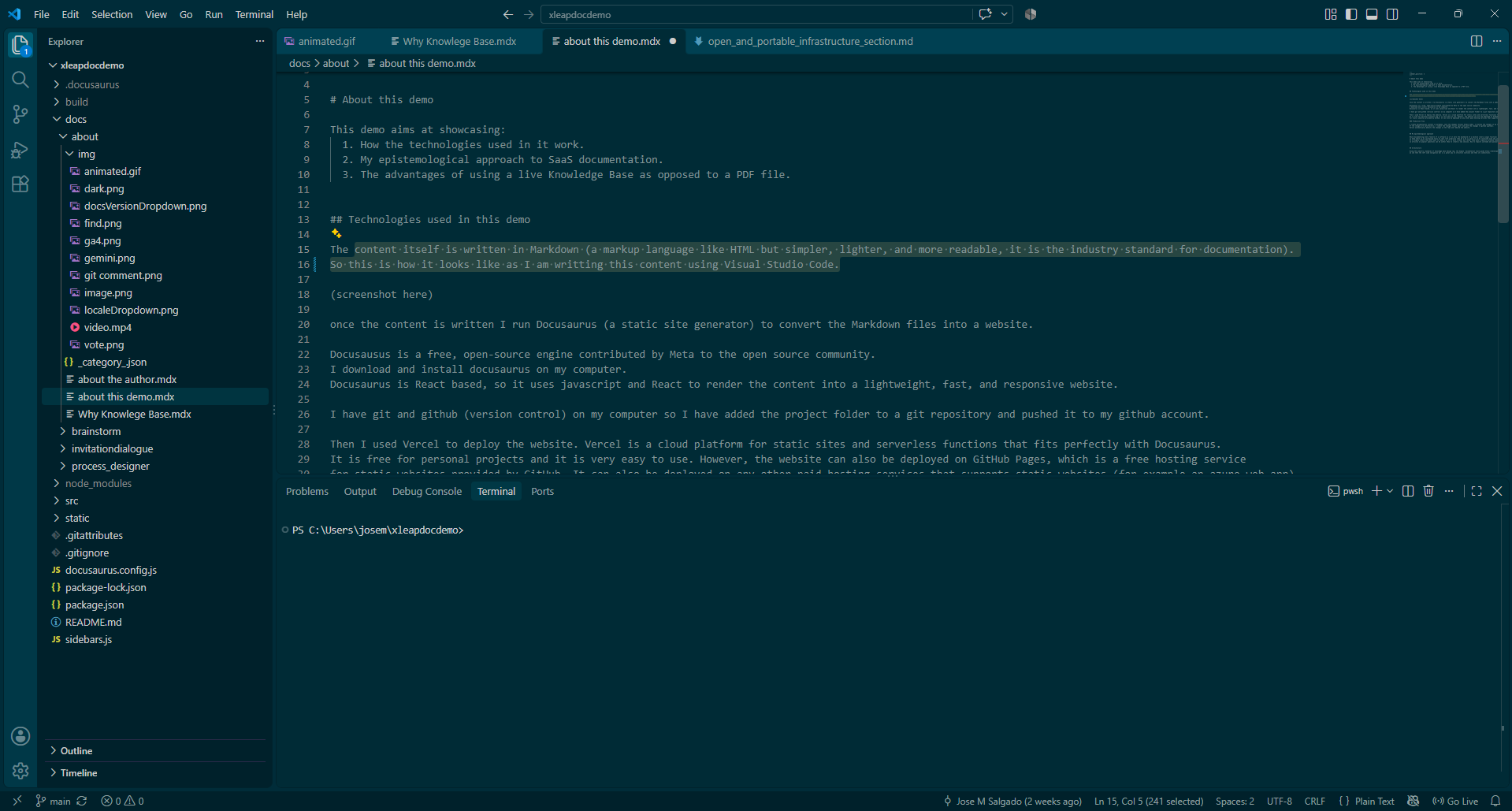
The content is written in Markdown (a markup language like HTML but simpler, lighter, and more readable, it is the industry standard for documentation). So this is how it looks like as I am writting this article using Visual Studio Code:
Step 2. Run Build on terminal and preview changes locally (docusaurus engine)
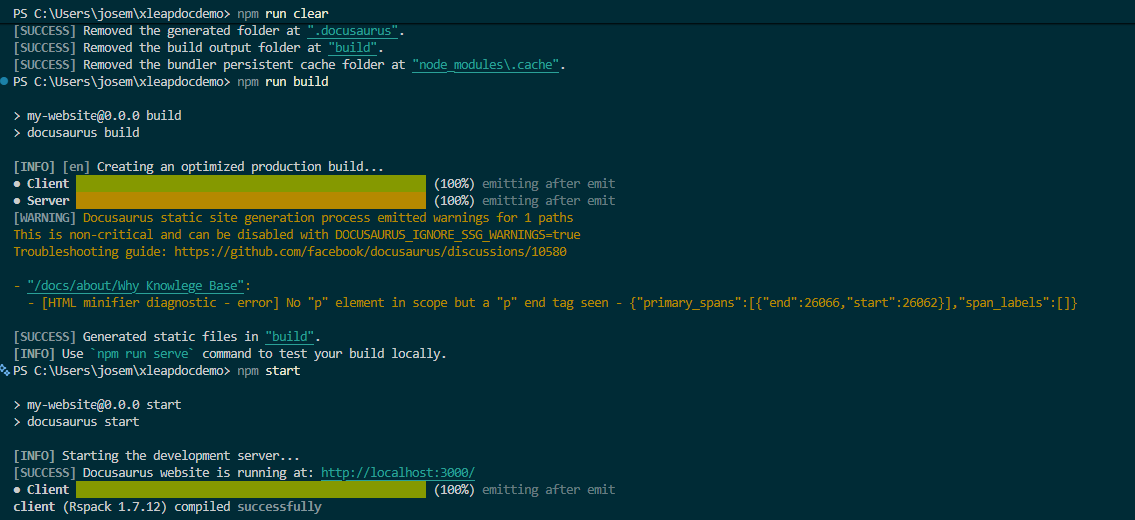
Docusausus is a free, open-source static site engine contributed by Meta to the open source community. I download and install docusaurus on my computer. Docusaurus is React based, so it uses javascript and React to render the content into a lightweight, fast, and responsive website.
once the content is written in markdown I run Docusaurus:
Step 3. Push changes to GitHub
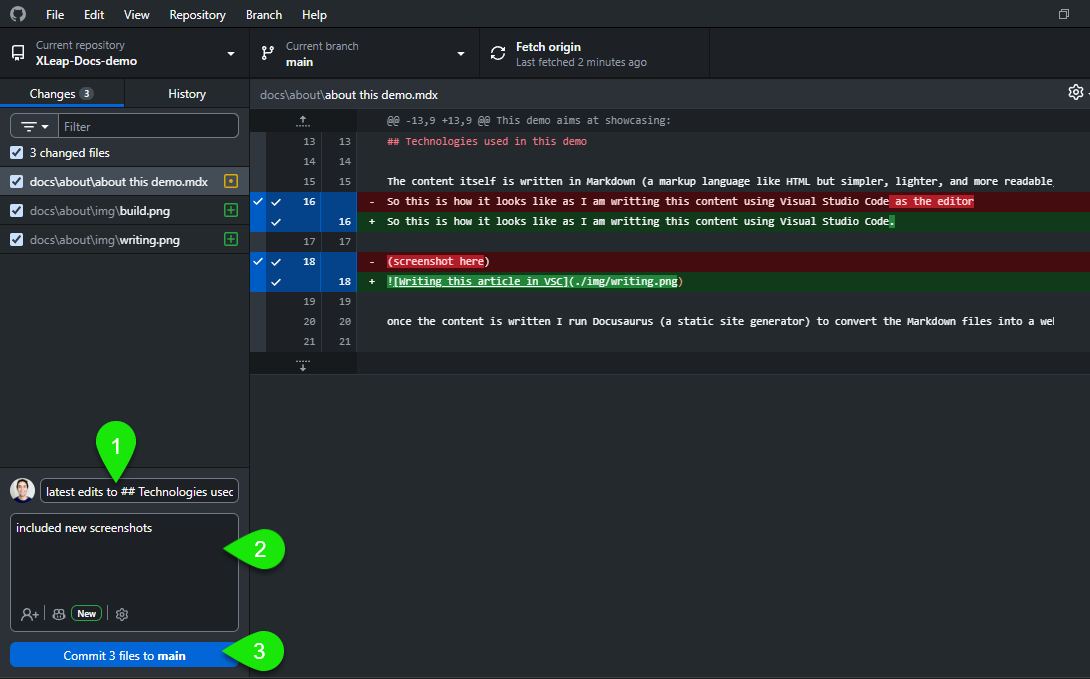
I have git and github (version control) on my computer so I have added the project folder to a git repository and pushed it to my github account. I comment each commit in case it is necessary to roll back the specific changes in this commit.
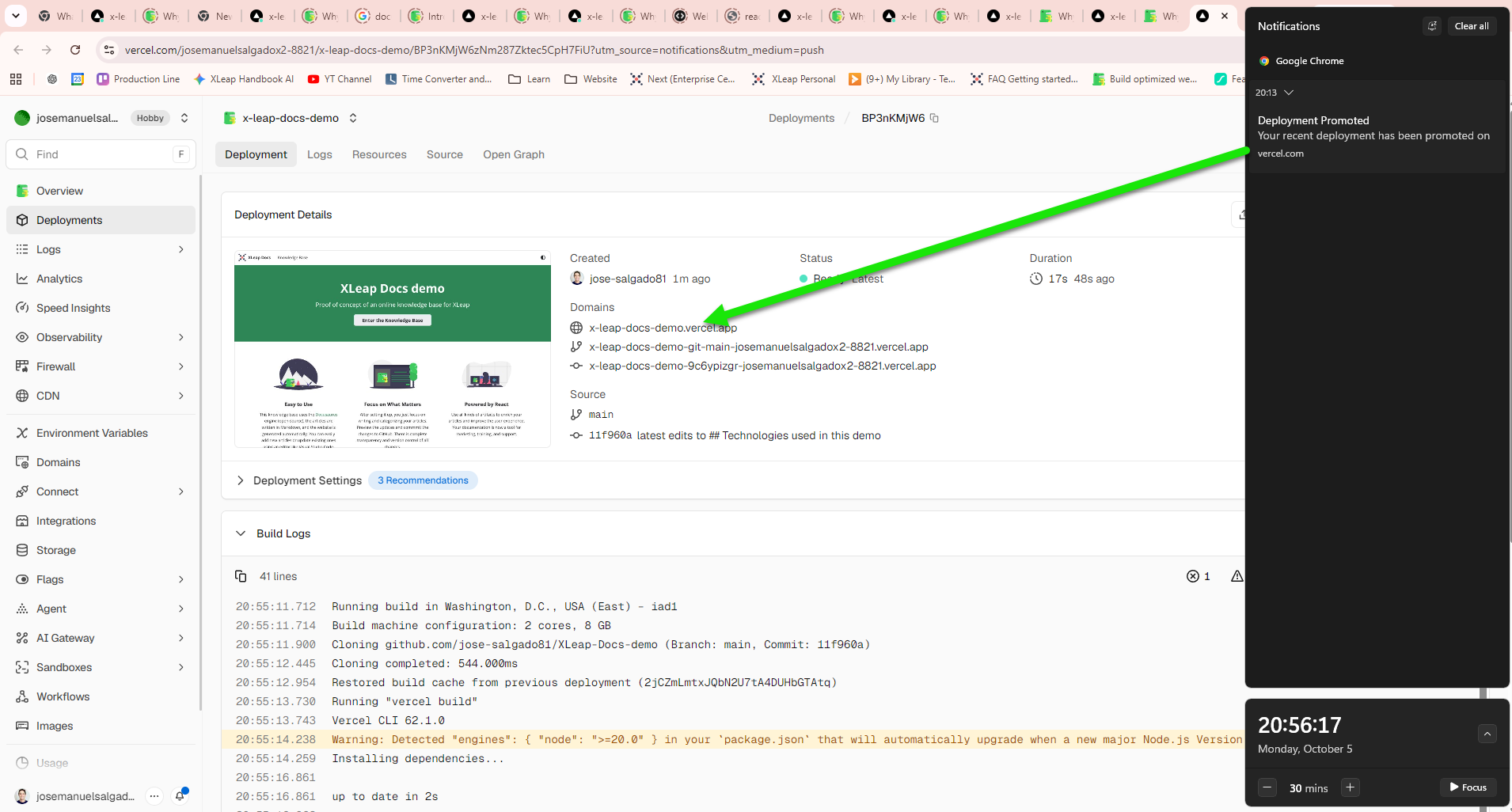
Step 4. Vercel deployment server updates automatically to new release.
So finally I used Vercel to deploy the website. Vercel is a cloud platform for static sites and serverless functions that fits perfectly with Docusaurus. It is free for personal projects and it is very easy to use. However, the website can also be deployed on any other free or paid hosting service that supports static websites (for example an azure web app).
My Epistemological Approach
While documenting every single feature of a software product as if it were a machine dashboard is sometimes an acceptable approach, modern software documentation places an increasing emphasis on real-life scenarios—where users visit the documentation seeking answers to specific problems. Once users arrive, we use whatever artifacts are necessary to ensure they reach full understanding. This often involves a dynamic combination of text, images, videos, diagrams, examples, interactive simulations, and related articles. If needed, an LLM chatbot component can be integrated to allow further exploration via natural language. As a failsafe, the documentation should always provide a direct option to contact support.
Architecture
Using the industry standards of knowledge base design (eg. the Google documetation style guide https://developers.google.com/style), same for microsoft, etc. we see that the left side navigation bar is a great way to structure sections and then its subsections.
Disclaimers
Not an official xleap KB
This demo site is a proof of concept and not an official channel from XLeap Gmbh, for official channels please visit https://www.xleap.net/
Generative AI used in this demo
The texts in this KB were written by myself. Generative AI (Gemini, free tier) was used to edit many sections of this KB, mainly to make the sentences more succint, further editorial review is obviously needed and will be gradually implemented .
Manual adjustments to the settings of the knowledge base were first consulted with Copilot (gpt6-luna, free tier).
Open source project
This project and its files, contained in its github repo uses free, open-source technologies to ensure independence from subscription services and to prevent sudden changes in usability imposed from third parties. The repository is open to the public so every file can be inspected, or even cloned. For this, no authorization is required.